
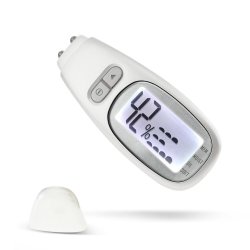

| Brand | Unbranded |
| Manufacturer | Unbranded |
| Model Number | 304227_304232 |
USING THE MEMORY FUNCTION:- This unit can store up to 5 sets of the latest data. The data is automatically stored in memory when test is completed. Press RECORD button to view the latest set of data. Continue pressing the RECORD button until all 5 sets of data is displayed,MEMORY 5" being the last set of data.
GETTING TO TEST 1.Take off the front cover. 2. Press RECORD button or TEST button to wake up the unit from sleep mode, the screen will light up and display the latest set of data. 3. Place the two metal sensor prods on your skin, press TEST button, keep the sensor prods contacting your skin, the display will show semicircular dots from left to right in sequence, indicating that test is processing.
After 3-4 seconds, you will hear a beep and the screen will light up, indicating that test is completed.The resul twill show up on the display. 4. lf "Er" message shows up on the display, it means poor skin contact on sensor prods.Please retry.
 Related Products
Loading similar products...




Stay informed about the best deals and price drops. Choose which notifications you'd like to receive from PriceCheck.

Free easy-to-follow course for anyone in South Africa who wants to learn how to start a digital business.


